

Download Cawabanga Casino Access On Mobile Devices
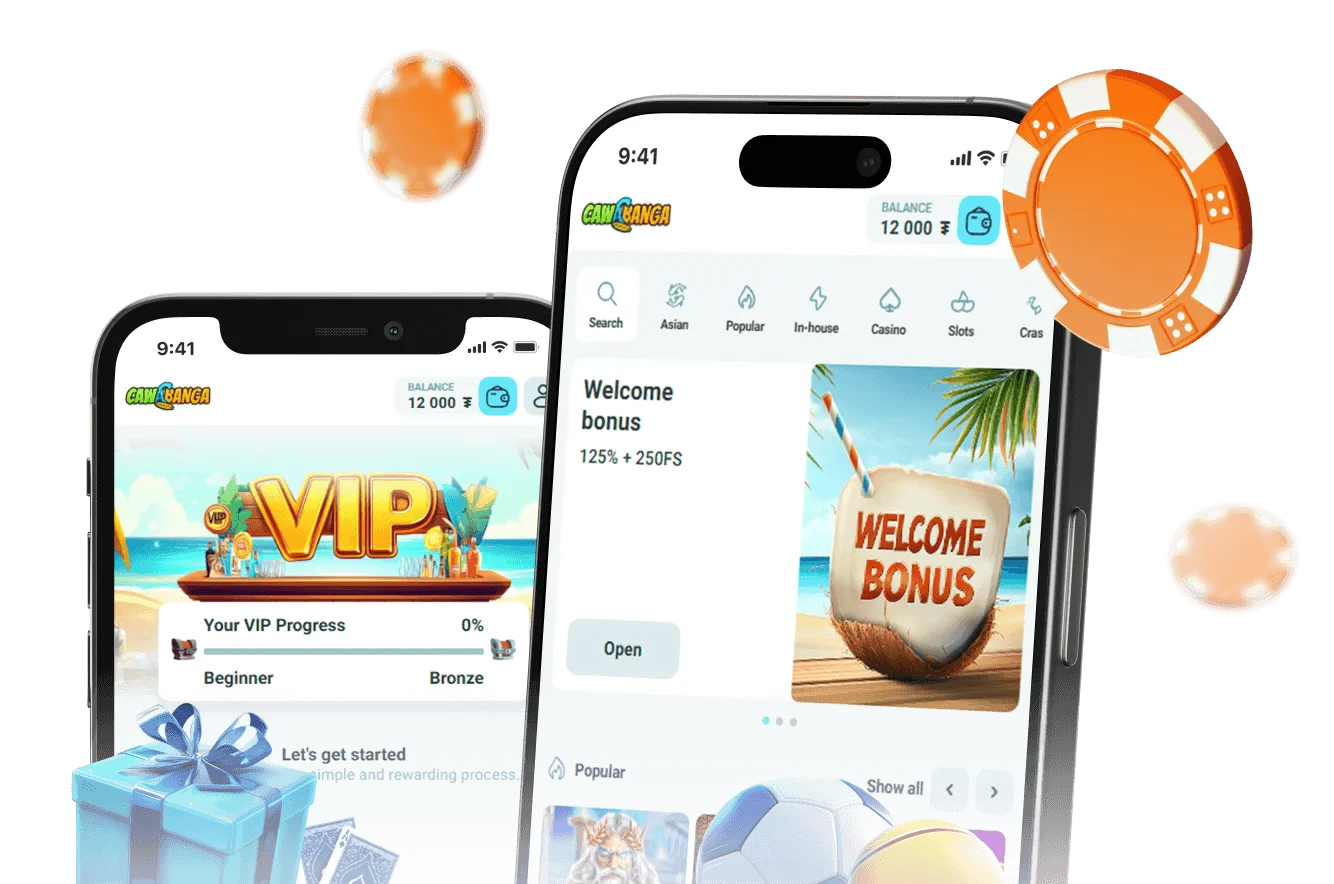
The Cawabanga casino app provides a mobile-optimized environment with stable performance and full compatibility across Android and iOS devices. Access is available through APK installation for Android and browser-based use for iOS, allowing users to start playing without restrictions.
The installation process is direct and requires only a few steps, giving immediate access to the full game catalogue, account features, and payment system inside Cawabanga casino mobile. All functions remain consistent with the desktop version, ensuring seamless use across devices.
App Specifications
| Feature | Details |
|---|---|
| Software Version | 1.2.3 |
| APK File Size | 45 MB |
| iOS Access | Browser-based (no App Store installation) |
| Compatible OS | Android 5.0+, iOS 11.0+ |
| Device Support | Smartphone, Tablet |
| Interface | Mobile-optimized touch interface |
| Navigation | Simplified menu and quick access sections |
| Game Access | Full library available |
| Game Modes | Slots, Live, Crash, Turbo |
| Interface Languages | English, Bengali |
| Download Method | Official website APK / mobile browser access |
| Account Access | Full login and profile management |
| Payment Methods | bKash, Nagad, Rocket, cards, crypto |
| Transaction Speed | Instant deposits, fast withdrawals |
| Bonus Access | Full Bonus Cabinet functionality |
| VIP Features | Available on mobile |
| Security | SSL encryption, two-step verification |
| Data Protection | Encrypted sessions and secure storage |
| Performance | Optimized for stable connections |
| Updates | Regular APK updates |
| Customer Support | 24/7 live chat and email |
| Notifications | In-platform alerts and bonus updates |
The application is designed to maintain stable performance even on slower connections, ensuring uninterrupted gameplay and account access. All sections are adapted for touch interaction, allowing quick navigation between games, payments, and bonus features inside Cawabanga mobile app.
Bonuses Through Cawabanga Casino App
Mobile users have full access to the bonus system without limitations. All promotions, including deposit bonuses, free spins, and cashback, are managed through the Bonus Cabinet, where activation and wagering progress are tracked in real time.
The system ensures that all bonus features remain fully functional when using Cawabanga casino app. Activation, balance updates, and bonus usage follow the same rules as on desktop, with no restrictions on mobile access.
Welcome Bonus Access
New accounts created through mobile devices receive a deposit-based bonus with additional free spins after activation.
The bonus is applied automatically after a successful deposit and appears in the Bonus Cabinet. Players can monitor wagering progress, remaining balance, and expiration directly in the account.
All conditions, including wagering requirements and validity periods, are displayed before activation, allowing full control over bonus usage inside Cawabanga mobile app.
Cashback And Ongoing Rewards
Cashback is calculated based on player activity and returned as part of the ongoing reward system.
Users receive a percentage of net losses depending on activity level and participation in promotions. Rewards are credited automatically and become available within the account under standard bonus conditions.
This system allows players to extend gameplay and manage balance more effectively without manual activation steps.
Bonus Overview
| Bonus Type | Game Scope | Description |
|---|---|---|
| Welcome Bonus | Slots | Deposit match with free spins |
| Cashback | All Games | Weekly percentage return on losses |
| Free Spins | Selected Slots | Spins credited during promotions |

Installing Cawabanga Casino Download On Mobile
The Cawabanga casino download process is designed for quick setup and direct access to all platform features. Installation is available for Android devices via APK and for iOS through browser-based access, ensuring compatibility without unnecessary steps.
The setup allows users to access games, payments, and account features immediately after installation, with no functional limitations compared to desktop.
Select The Appropriate Version
Start by opening the official platform and navigating to the mobile section.
- Choose Android APK if using an Android device
- Use browser access for iOS devices
Selecting the correct option ensures stable performance and proper integration with the device. The system automatically adjusts the interface based on the operating system, providing consistent access to all features.
Complete The Download Process
Proceed with the installation based on your device type.
- Download the APK file for Android
- Enable “Install from Unknown Sources” if required
- Open the file and complete installation
For iOS, no installation is required. Access is provided directly through the browser, where the platform loads instantly with full functionality.
All steps are handled within a secure system, ensuring that the download and setup process remains safe and controlled inside Cawabanga casino app.
Launch And Start Using The App
After installation or browser access, open the platform and log in or register.
- Enter account credentials or create a new account
- Access deposit section and fund the balance
- Open the game library and start playing
The system is ready for immediate use, with all features available including payments, bonuses, and full game access. Performance remains stable across devices, ensuring uninterrupted gameplay inside Cawabanga casino mobile.
Before starting, ensure that the device meets basic requirements and that account verification is completed when needed. This helps maintain secure access and consistent performance across all supported devices.
Managing Payments In Cawabanga Mobile App
Payment operations in the Cawabanga mobile app are handled through an integrated system that supports deposits and withdrawals using both local and international methods. The platform prioritizes mobile-friendly solutions, allowing fast transactions directly from the account interface without external processing steps.
Users can select from mobile banking services, cards, and cryptocurrency depending on preference. All transactions are processed in BDT for local methods, ensuring clarity in balances and payment tracking inside Cawabanga casino mobile.
Available Payment Methods
The system supports a range of payment options optimized for mobile use:
- Mobile banking: bKash, Nagad, Rocket, Upay, Tap
- Bank cards: Visa, MasterCard
- Cryptocurrency: BTC, USDT, ETH
Local methods are optimized for faster deposits and simplified confirmation, while other options provide flexibility for different transaction needs. Each method follows a defined process with visible status updates during execution.
Payment Conditions Overview
| Payment Method | Supported Currencies | Minimum Deposit | Withdrawal Time | Fees | Security |
|---|---|---|---|---|---|
| Credit/Debit Card | BDT / USD | ৳500 | 1–3 business days | None | SSL encrypted |
| bKash | BDT | ৳200 | 1–2 business days | None | SSL encrypted |
| Nagad | BDT | ৳200 | 1–2 business days | None | SSL encrypted |
| Rocket | BDT | ৳200 | 1–2 business days | None | SSL encrypted |
| Cryptocurrency | Multiple | ~৳1000 | Up to 24 hours | Varies | SSL encrypted |
All transactions follow internal processing rules to ensure accuracy and consistency. Deposits are credited after confirmation, while withdrawals are processed within defined timeframes depending on the selected method.
The system is designed to maintain stable financial operations across all supported devices, allowing users to manage funds securely after completing the Cawabanga download process.
Android Installation Guidelines For Cawabanga Casino Download
Android installation for Cawabanga casino download follows a controlled setup process to ensure device compatibility, secure installation, and stable performance. The application is provided as an APK file and must be installed manually on supported Android devices.
Devices should run Android 6.0 or higher, have sufficient storage space, and allow installation permissions. The system verifies file integrity during installation to maintain secure access inside Cawabanga mobile app.
Installation Steps
Follow these steps to install the application:
- Open device Settings and go to Security
- Enable “Install from Unknown Sources”
- Download the APK file from the official platform
- Open the downloaded file
- Complete installation following on-screen instructions
After installation, the application is ready for use. All core features, including payments, bonuses, and game access, become available immediately after login.
The process is designed to minimize errors and ensure that the application installs correctly without affecting device performance.
Installation Requirements
Before starting the installation, check the following:
- Android version 6.0 or higher
- Stable internet connection
- Available storage space
- Permission settings enabled
Meeting these requirements ensures that the application runs smoothly and avoids installation issues. All operations remain secure and optimized for mobile use within Cawabanga casino mobile.
iOS Access For Cawabanga Mobile App
Access on iOS devices is provided through a browser-based solution, allowing full platform functionality without installation from the App Store. This approach ensures compatibility across all supported iOS devices while maintaining stable performance and secure account access.
The system loads directly in the browser and can be added to the home screen, creating a shortcut that functions similarly to a native application inside Cawabanga casino mobile.
iOS Access Requirements
To ensure stable performance, devices should meet the following conditions:
- iOS version 12.0 or higher
- Sufficient available storage for browser operation
- Stable internet connection
- Active Apple ID and standard device security settings
These requirements ensure that the platform runs smoothly without interruptions or performance issues.
How To Access On iOS
Follow these steps to start using the platform:
- Open Safari browser on the device
- Navigate to the official platform
- Log in or create an account
- Tap “Add to Home Screen” for quick access
After setup, the platform opens in a full-screen mode, providing direct access to games, payments, and account features. All actions, including deposits and withdrawals, are available without restrictions inside Cawabanga mobile app.
This method allows users to complete the Cawabanga casino online download process on iOS without requiring external installation, ensuring secure and consistent access across devices.
FAQs
Can I play Cawabanga casino on my mobile?
Yes, you can enjoy Cawabanga casino on your mobile through mobile app, which offers a seamless gaming experience on-the-go.
What should I do if the app won't download?
If the Cawabanga download isn’t starting, check your internet connection and device storage. Clearing your app store cache might also solve the issue. If problems persist, reach out to casino support.
Are there transaction limits in the app?
Yes, Cawabanga casino app has specific limits for deposits and withdrawals. These can vary based on your chosen payment method and account verification status.
How is my data protected on the app?
Cawabanga mobile app uses advanced encryption technologies to safeguard your personal and financial information, ensuring a secure gaming environment.
Why can't I find some games on the mobile app?
Some games may not be available on the Cawabanga casino mobile due to software compatibility issues. Updates and optimizations are regularly conducted to enhance availability.
What to do if login fails on the app?
First, ensure your credentials are correct. If this doesn’t help, use the password reset option. Persistent issues may be resolved by contacting Cawabanga casino’s support team.